
Mornings and bedtimes, one step at a time.
ReadyTeddy turns your toddler’s routines into big, friendly pictures they can follow on their own, with Teddy cheering every step. For iPhone, iPad and Mac.
Good morning!
1
 Get dressed
 Breakfast
 Brush teeth
 Shoes on
Breakfast
Next: Brush teeth

All ready!
Try it: tap All done.
7:00am
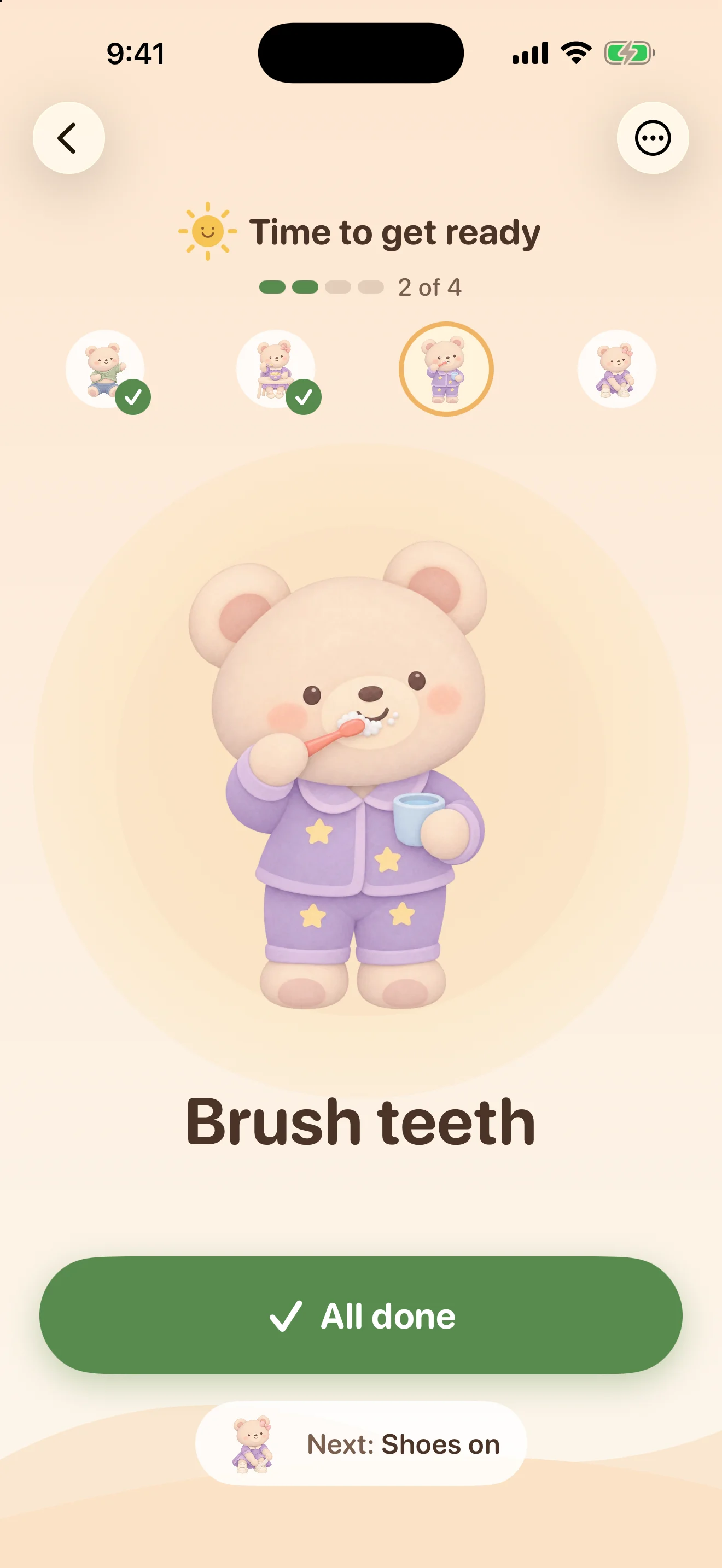
Morning: one big picture at a time.
Get dressed, breakfast, brush teeth, shoes on. Your little one sees one step and one big button. Teddy cheers when it’s done, and the next step is already waiting.
- Get dressed
- Breakfast
 Brush teeth
- Shoes on
 Backpack
Little fingers can’t skip ahead or finish a step twice. Only the step on screen can be marked done.
12:00pm
Daytime: the routines your week needs.
Add as many routines as you like, each with its own colors and Teddy art. Show one every day, on weekdays, on weekends, or only on the days you pick.
A day off school? Tap “Show on Home today” and it tidies itself away tomorrow.
Day time
- M
- T
- W
- T
- F
- S
- S
 Snack
 Play time
 Lunch
 Nap
 Tidy up

Movie night
Working toward this
Extra story

Ice cream
Every finished step earns a star.
Stars add up toward wishes you set up, up to three at a time. Your child picks one to work toward and asks when they have enough. You say yes and choose a day and time.
- Finish a step, get a star.
- Pick a wish to save up for.
- Ask a grown-up to cash it in.
- The grown-up picks when it happens.
Undo takes back only the star that step earned, and a double tap never counts twice.
Made for every screen in the house.
ReadyTeddy lays itself out for the space it has, not the device it’s on. The same routines, stars and settings, sized for little hands everywhere.
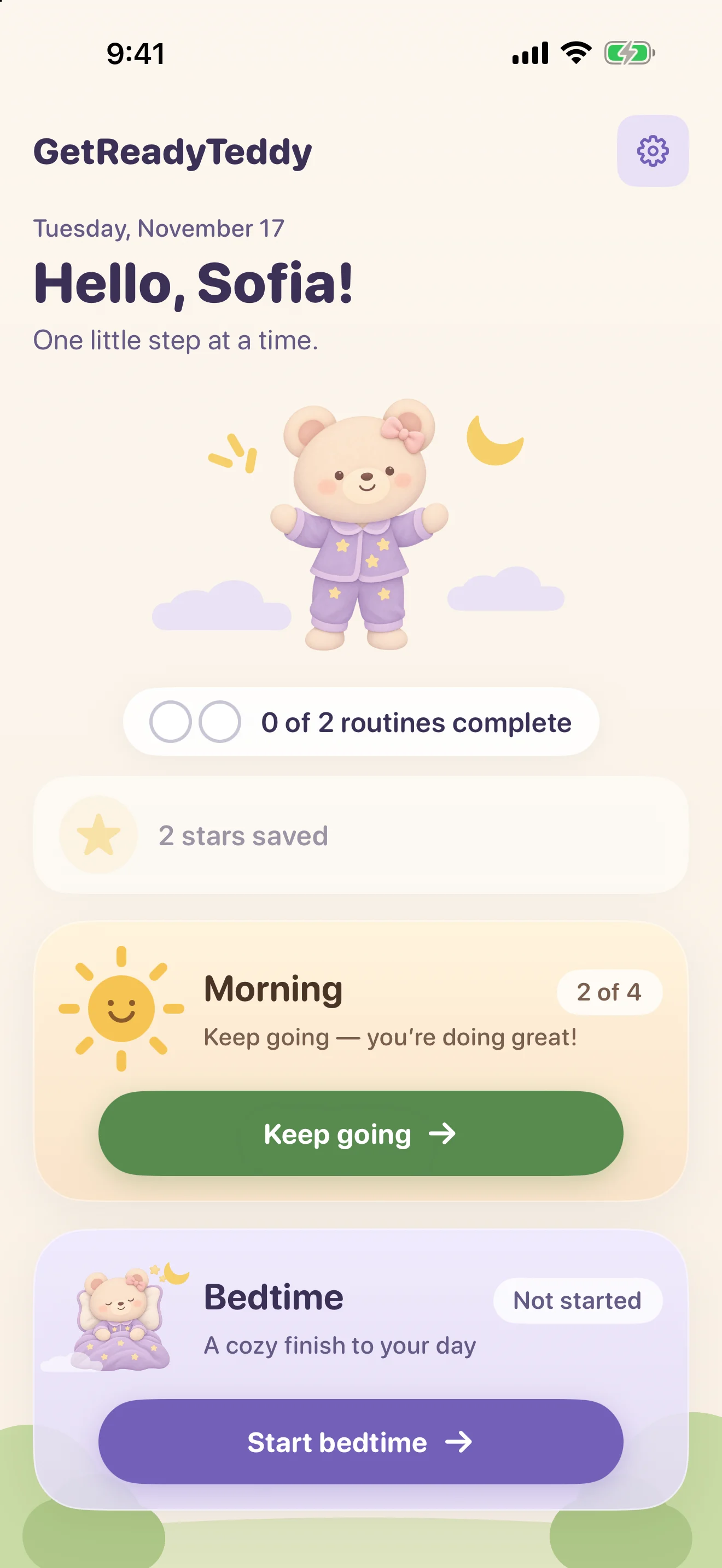
iPhone. Everything in one column: Teddy says hello up top, and today’s routines sit underneath as big cards that are easy to tap.
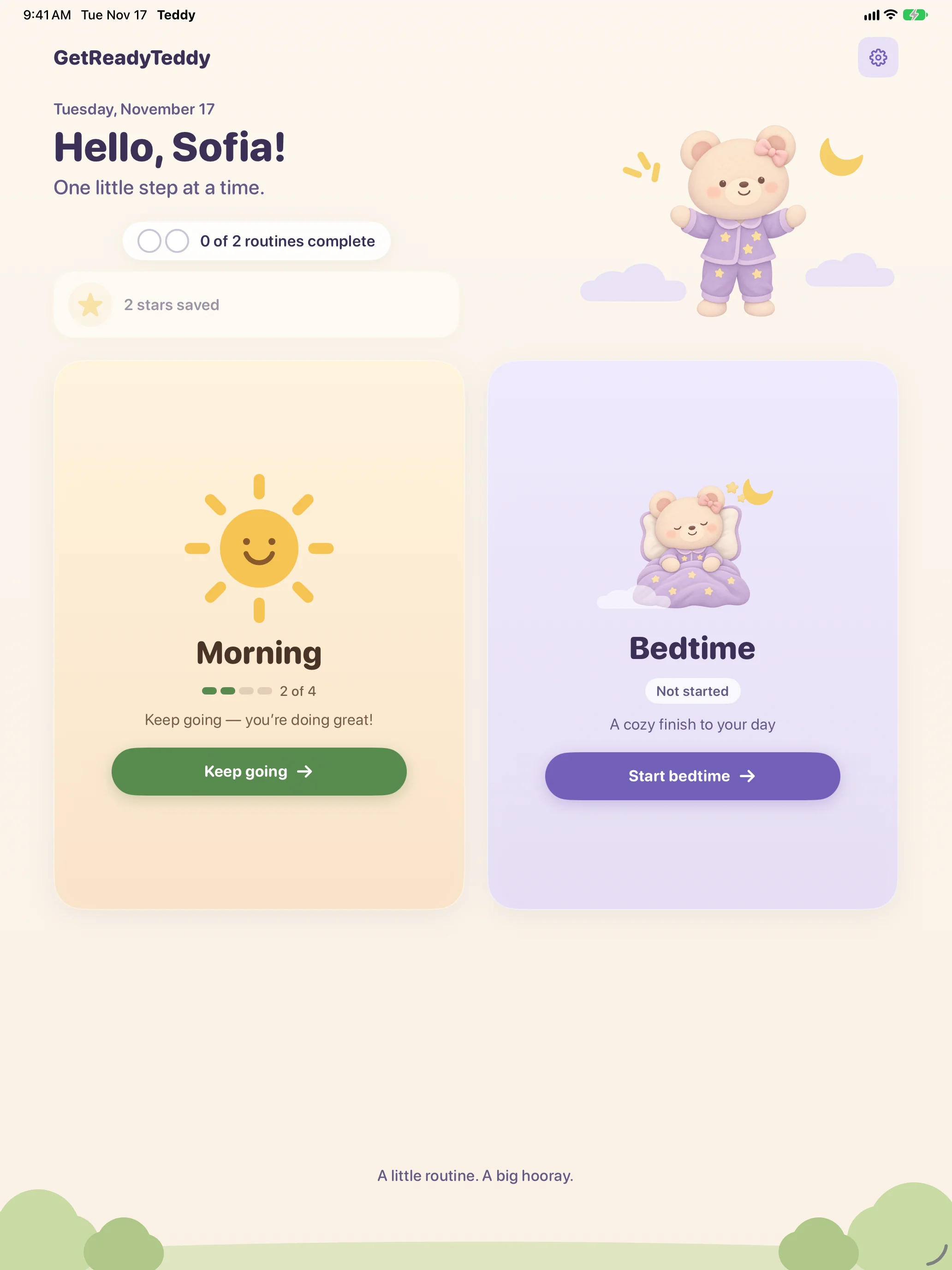
iPad. The greeting sits beside Teddy above two tall routine cards, and a routine shows its list next to the big step card.
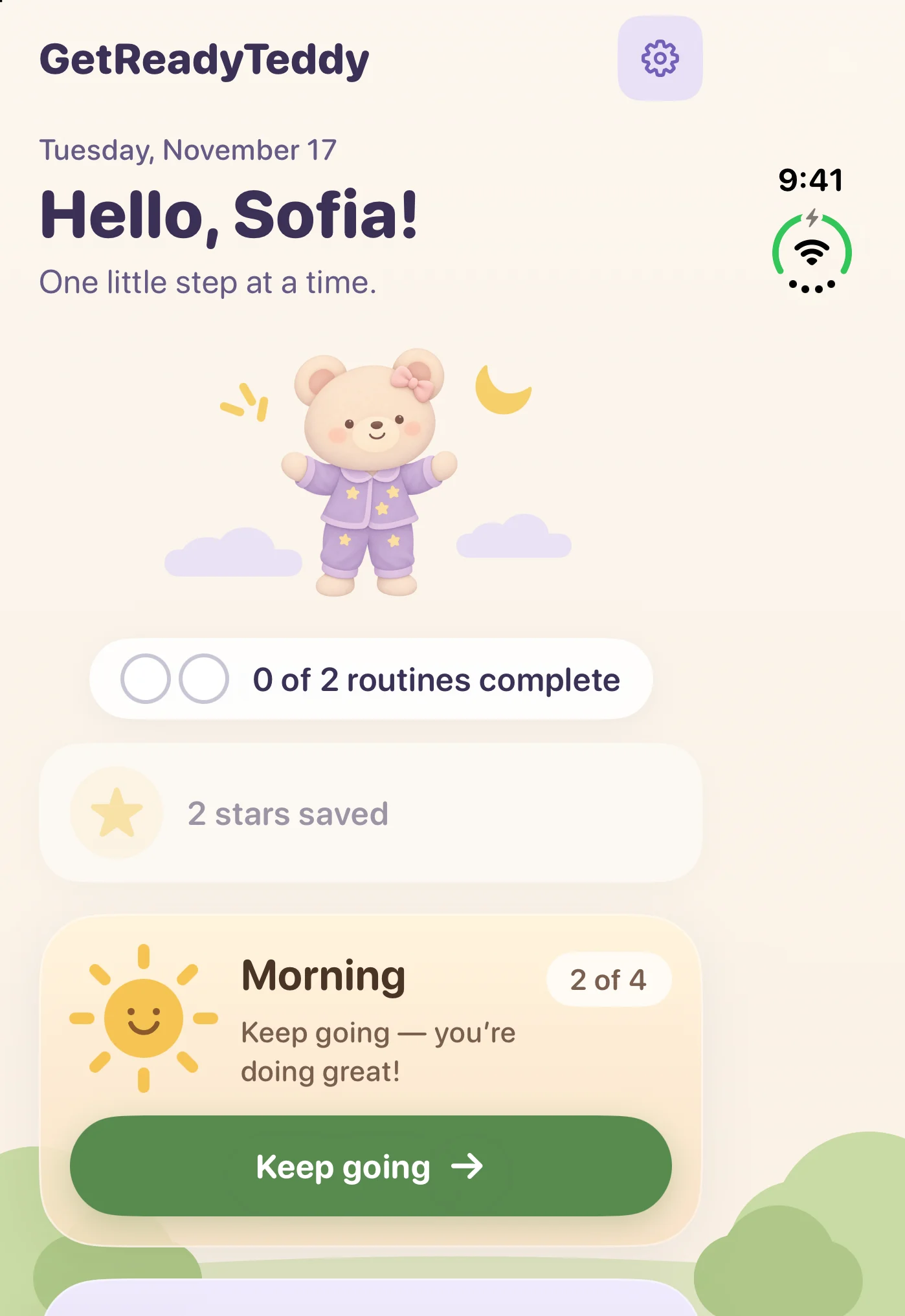
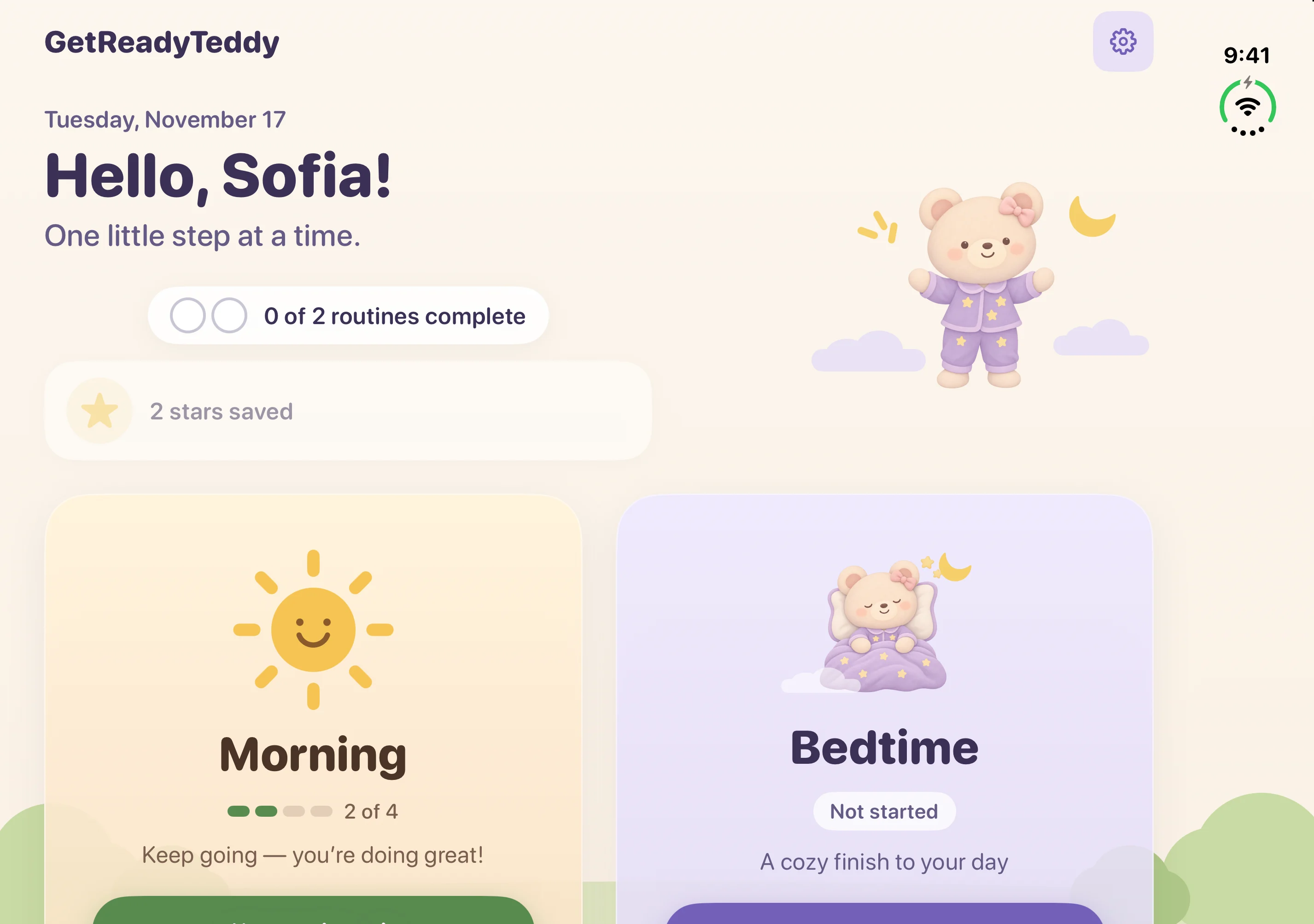
Foldable. Folded, it’s the phone layout. Open it and Home re-lays out live, with the greeting beside Teddy over two tall cards.
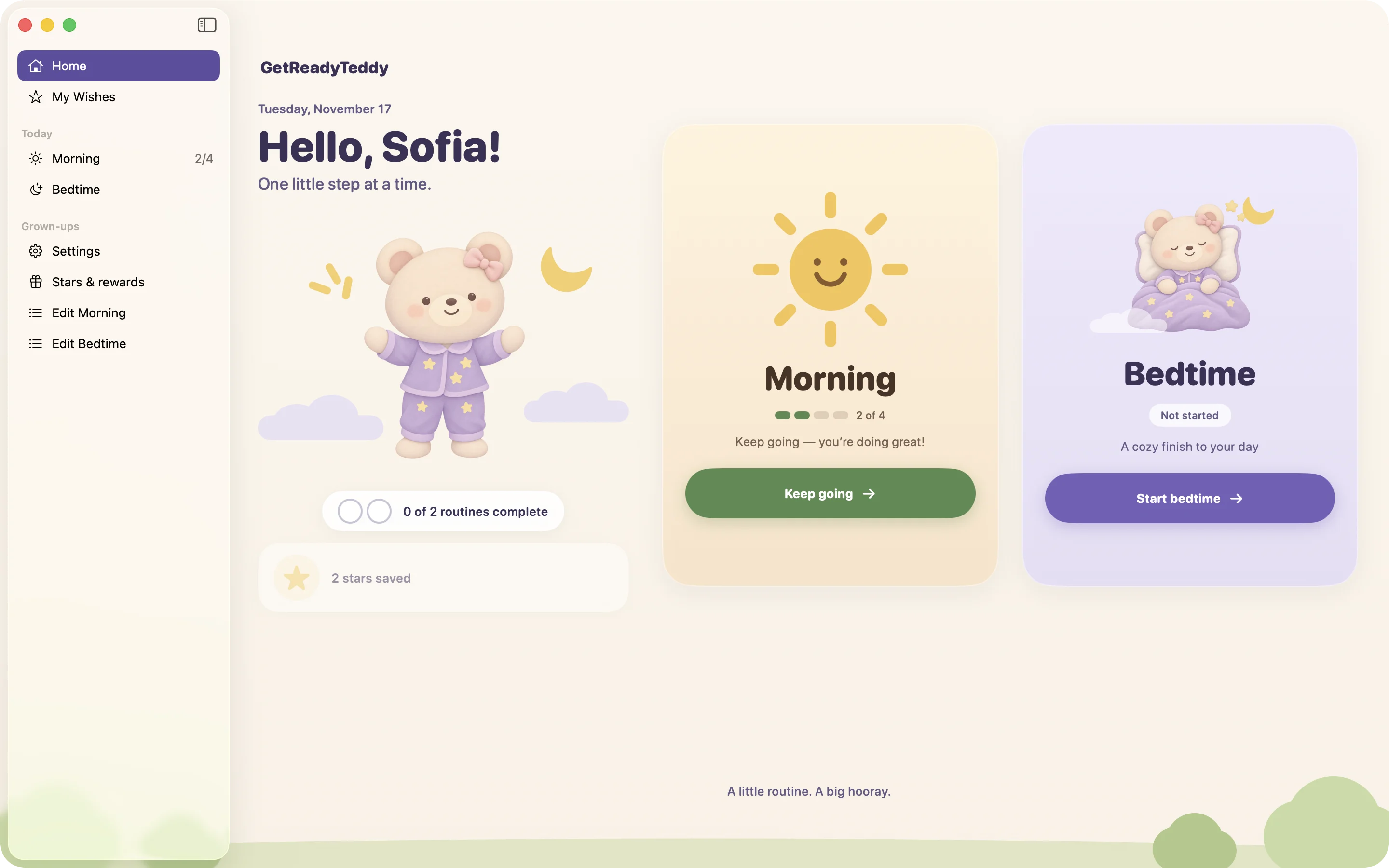
Mac. A sidebar for routines and grown-up settings, menu commands, and keyboard shortcuts like ⌘N to add a step.
7:30pm
Bedtime: softer colors for winding down.
Bath, pajamas, brush teeth, a story, tucked in. Bedtime turns lavender and the celebration gets quieter. Give any step a timer, like ten minutes of bath, and Teddy chimes when it’s up.
 Bath
 Pajamas on
 Story time
 Tucked in
After lights out, the grown-up corner.
Set it all up in a few minutes, then change it whenever your days change.

- Edit any routine
- Reorder, hide or add steps. Quick add suggests the common ones, and any step can use an emoji instead of a picture.
- Times and reminders
- Give a step a time of day. Turn on “Remind us” and you’ll get a gentle notification when it comes up.
- Teddy that looks like them
- Pick girl or boy pictures, or “Rather not say” for a mix of both.
- Changes wait their turn
- Editing a routine never disturbs one that’s already underway. It applies the next time it starts.
- Every device, if you like
- Turn on iCloud sync and routines, stars and wishes stay in step across your iPhone, iPad and Mac. It’s off until you choose.
- A gate for grown-ups
- On iPhone and iPad, settings sit behind a quick sum, so a curious tap doesn’t rearrange the morning.
Your family’s routines stay yours.
ReadyTeddy has no accounts, no ads and no analytics. Your child’s name, routines and stars live on your iPhone, iPad or Mac. Want them on more than one? Turn on iCloud sync and they travel through your own private iCloud, never through us.
Read the privacy policyQuestions from grown-ups
Does my child need to read?
No. Every step is a big picture with a short name, and there’s one button to press. Teddy can also say the step out loud.
Which devices does it run on?
iPhone and iPad with iOS 17 or later, and Mac with macOS 14 or later. It adapts to foldables and Split View too.
Do we need an account or the internet?
No. There’s nothing to sign up for, and ReadyTeddy works offline. To use it on more than one device, a grown-up can turn on iCloud sync, which uses your own Apple Account.
What if we don’t finish before midnight?
An unfinished routine carries over. The next day ReadyTeddy asks whether to keep going or start fresh, and starting fresh is behind the grown-up gate.
When can we get it?
ReadyTeddy is coming soon to the App Store. Questions in the meantime? Write to support@appsbysahara.com.